
Most teams don’t have a data problem. They have a workflow problem:
- Finance can see the numbers, but not what to do next.
- Ops can see the orders, but not what’s actually urgent.
- Purchasing can place POs, but not without 37 clicks and a sanity check.
- Manufacturing can track WIP, but only after the stand-up is already over.
IntelligentCommand was built to solve that exact mess: one suite, multiple “command centers,” each designed around how real teams actually work inside NetSuite.
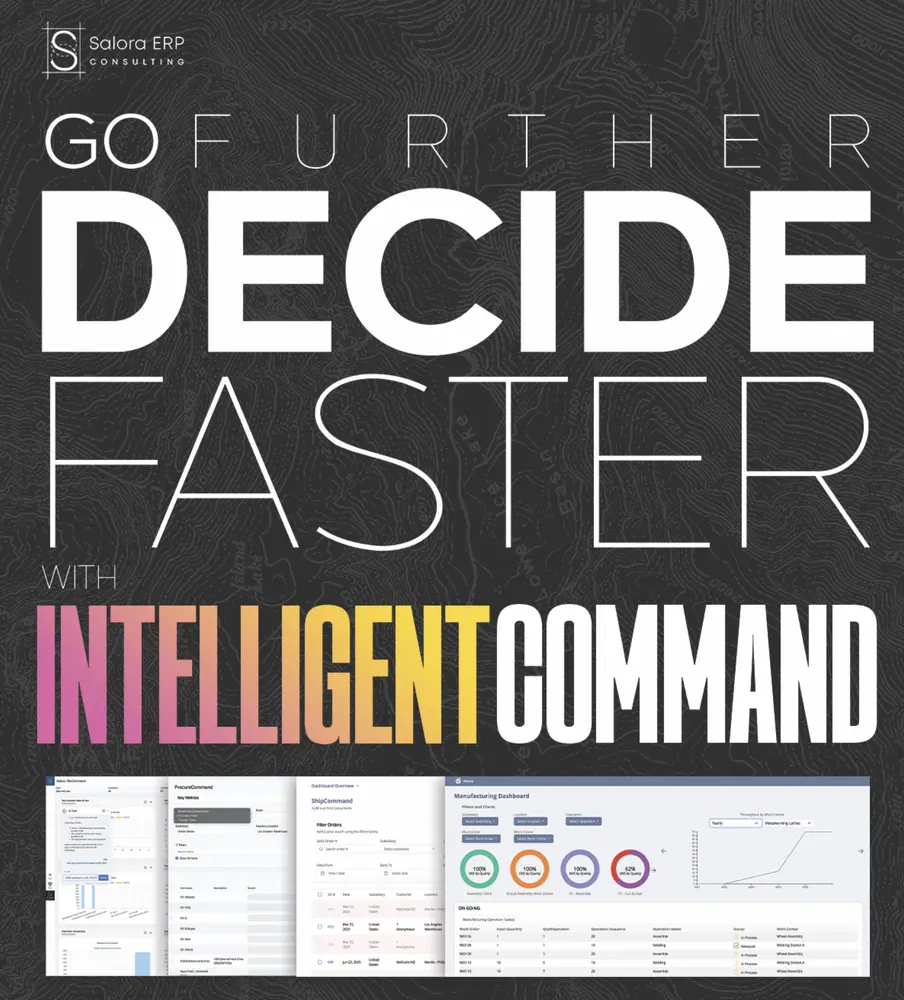
Instead of forcing everyone into the same dashboard, IntelligentCommand gives each function a purpose-built workbench that turns NetSuite data into today’s actions, not just today’s reporting.
What is IntelligentCommand?
IntelligentCommand is a suite of NetSuite-native command centers that consolidate workflows into a single screen per function, and layer in intelligence to surface what matters first.
It includes:
- BizCommand for leadership + finance visibility and decisioning
- ShipCommand for fulfillment execution (pick, pack, ship)
- ProcureCommand for purchasing, transfers, and backorder-driven replenishment
- MFGCommand for manufacturing ops: WIP, queues, shortages, throughput
Each tool is built to do the same thing in its own lane: reduce screen-hopping, highlight exceptions, and make next steps obvious.
1) BizCommand: “Know Today. Decide Today.”
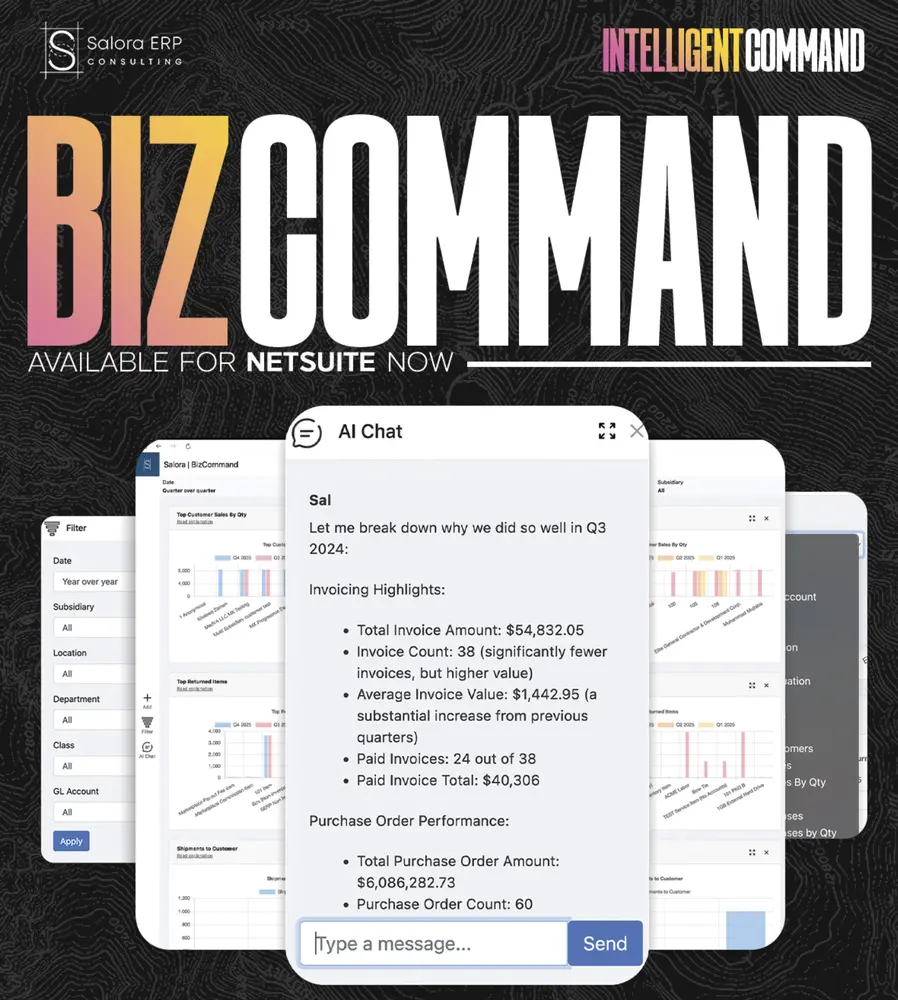
Most dashboards tell you what happened. BizCommand is built to help you answer: So what do we do now?
BizCommand is a real-time, AI-assisted command center that stitches together the metrics teams actually fight over: revenue, margin, cash, backlog, AR/AP aging, inventory health into one NetSuite-native dashboard.
What it’s great at
Live KPI tiles + one-click drilldowns BizCommand streams NetSuite data into color-coded KPI tiles (Revenue, Gross Margin percent, Cash on Hand, DSO, Inventory Turns, and more). Click any tile and it morphs into a transaction-level list already filtered to the anomaly you spotted.
Translation: you stop variance-hunting like it’s a sport.
The “AI Business Analyst” layer
BizCommand’s built-in LLM can generate a plain-English narrative of what changed, for example: “Gross margin dipped due to a freight cost spike at Subsidiary 3.”
Then you can adjust filters or time buckets and the narrative refreshes to match, with links back to the drivers behind the change. Export the briefing with charts for a deck or stand-up without living in Excel.
BizCommand is the best place to start because it’s the quickest hook: it answers leadership’s favorite question, “What changed, and why?” without the three-meeting warm-up.
2) ShipCommand: Pick. Pack. Ship. Repeat.
If BizCommand is the “why,” ShipCommand is the “do it right now.”
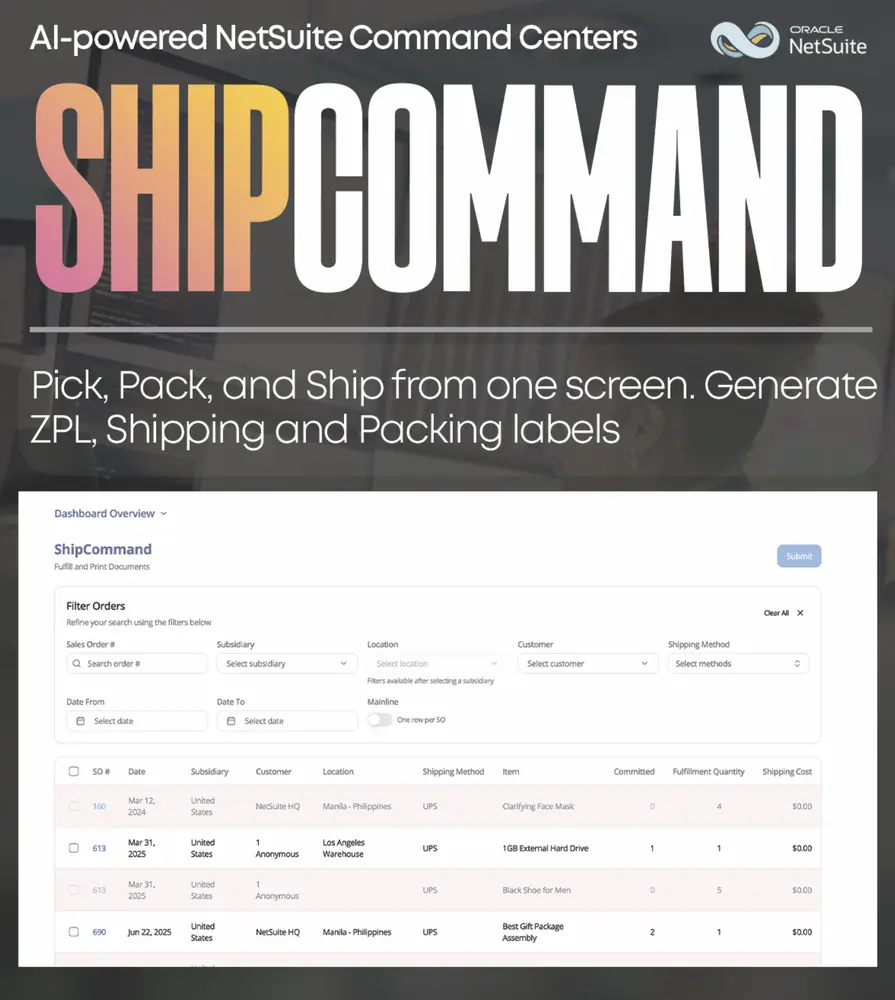
ShipCommand is a NetSuite-native fulfillment workbench with an AI-ranked urgent-first queue and one-pass fulfill + print.
The one-pass flow (the part ops teams love)
Filter orders, select the lines, hit Submit, and ShipCommand will:
- create the NetSuite Item Fulfillment
- print ZPL shipping labels
- print packing slips
- print picking tickets
- print any other configured docs
All from one screen.
No screen-hopping. No printer dance. No “wait, did it print?” rituals.
Live shipping operations dashboard
ShipCommand also provides a stand-up view of how the day is moving:
- picking and packing rhythm
- throughput patterns across weekdays
- where the queue is swelling
- cycle time trends (where hours accumulate)
- shipping efficiency signals when costs creep
So you can adjust labor, pickups, and priorities before the SLA clock does it for you.
If your warehouse is juggling multiple carriers, multiple locations, or just “too many orders and not enough time,” ShipCommand is built for that reality.
3) ProcureCommand: Procure smarter, all on one screen.
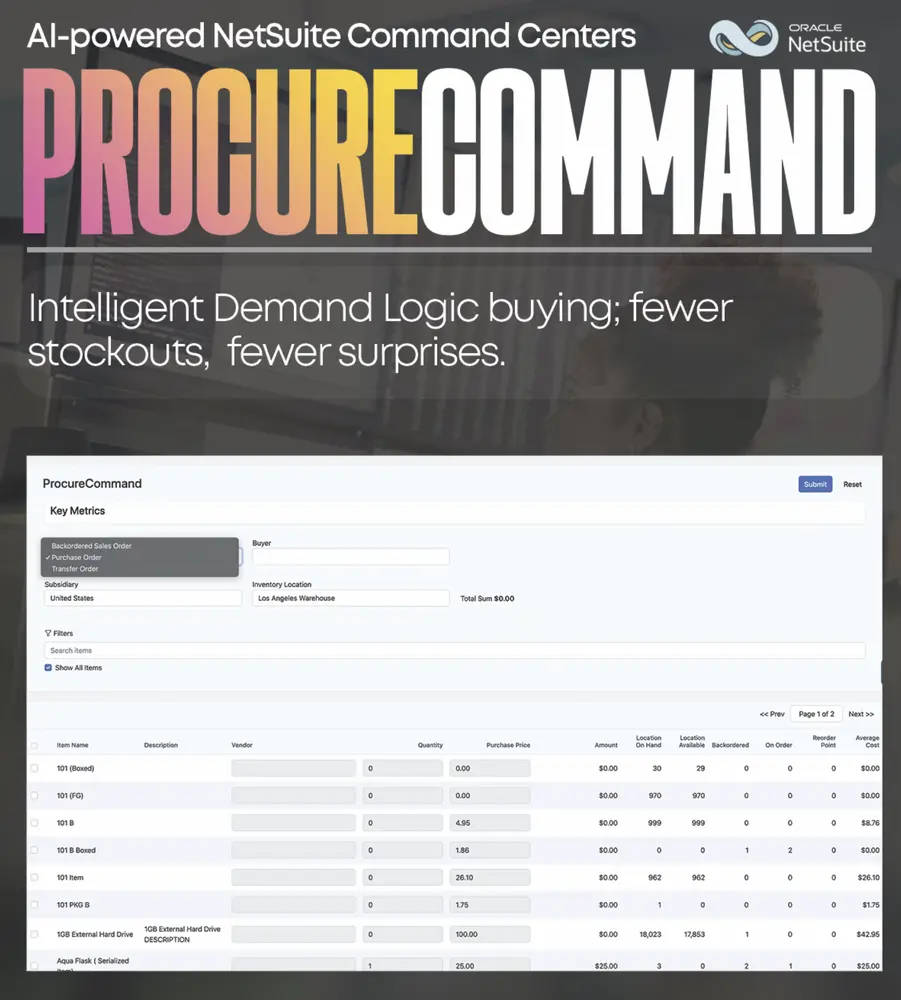
Purchasing teams lose hours to a boring problem: the workflow is fragmented.
Raise a PO, check on transfers, manage backorders, swap vendors, review quantities, confirm demand, repeat.
ProcureCommand pulls the entire purchasing workflow into one NetSuite-native dashboard and posts straight back to standard records.
It’s especially useful for:
- scaling DTC brands re-stocking fast sellers
- 3PL operations moving inventory between warehouses
- manufacturers plugging raw material gaps
In short: it keeps buyers negotiating prices, not fighting UI clicks.
The 3-in-1 Mode Selector (PO, TO, or Backorder)
ProcureCommand includes a mode selector that reshapes the entire screen to match the job:
- Purchase Order
- Transfer Order
- Backordered Sales Order
Behind the scenes, its demand engine can scan:
- reorder points
- safety stock
- open sales orders
…to pre-fill recommended quantities.
Buyers press one button, sanity-check the numbers, and move on. Early adopters report cutting requisition prep time by up to 70 percent, especially for high-SKU catalogs.
Real-time charting and reporting
Need to bump a quantity or swap a vendor?
Click straight into the grid, type, and watch the real-time total tick up or down in the header. The instant feedback keeps spend visibility crystal clear, which CFOs tend to appreciate when budget discipline matters.
4) MFGCommand: Run the floor from one screen
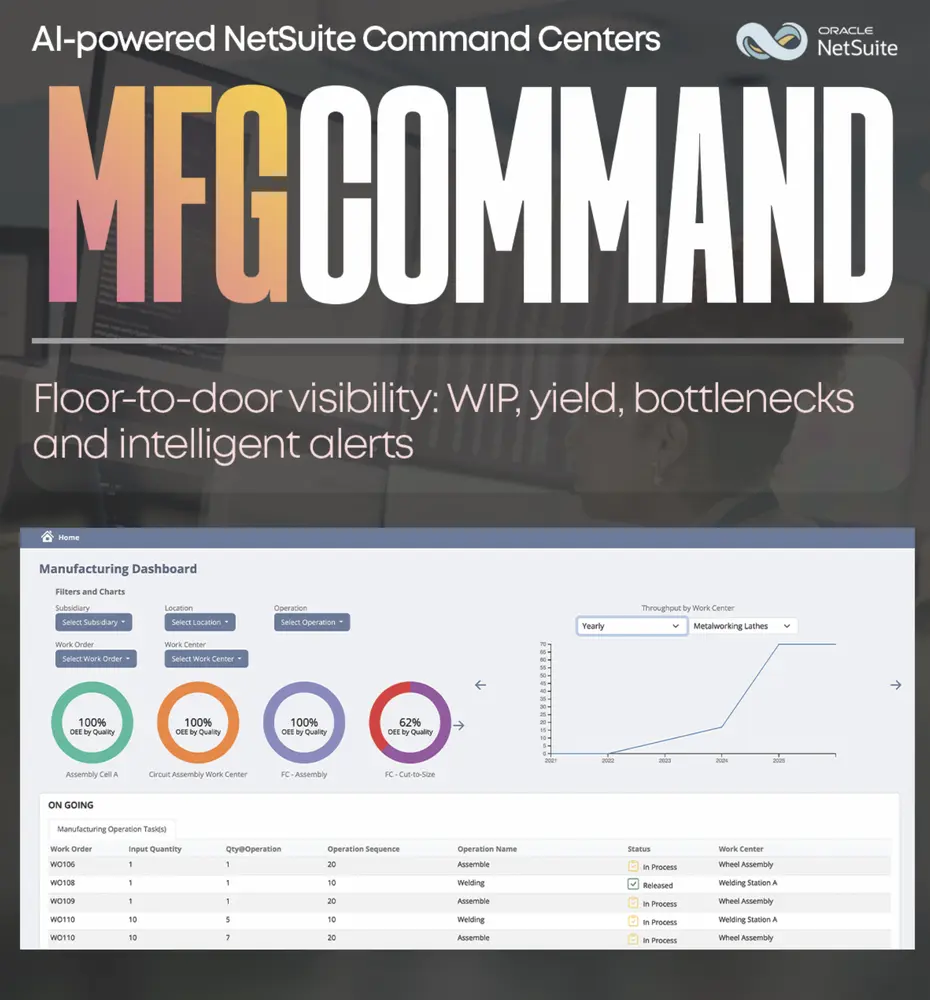
Manufacturing teams don’t need another report. They need a clean view of what’s running, what’s blocked, and what’s next.
MFGCommand is a bolt-on command center for manufacturing in NetSuite. It pulls your work orders, shortages, WIP, and completions into a single exception-first board so planners, supervisors, and line leads are looking at the same truth.
Operations queue and WIP overview
See active manufacturing operation tasks in one table:
- work order
- qty at operation
- sequence
- operation name
- status
- work center
It’s ideal for stand-ups and mid-shift checks, and it helps teams look ahead at the next wave of tasks by line or work center to balance crews and prep materials. Filters update instantly so you can stop refreshing like it’s 2009.
Quality and throughput monitor
MFGCommand also surfaces quality performance (by cell or station) so you can spot outliers and trends quickly, then track throughput by operation over time and view open tasks by work center to call out bottlenecks before they turn into production folklore.
Why the suite works better than “random dashboards”
A lot of companies try to solve this with one mega-dashboard.
But real life is not one mega-dashboard.
Finance needs narrative and drilldowns. Warehouse needs execution speed. Buyers need demand signals and fast PO creation. Manufacturing needs queue clarity and exception management.
IntelligentCommand is designed like a set of specialized instruments, not one multi-tool that kinda, sorta does everything.
And because these command centers live natively around NetSuite workflows, the goal is simple: less swivel-chair ops, more controlled execution.
A simple way to think about it
If NetSuite is your system of record, IntelligentCommand is your system of action:
- BizCommand shows what changed, why, and where to drill
- ShipCommand clears the urgent queue and prints everything in one pass
- ProcureCommand turns replenishment into a guided workflow, not a click marathon
- MFGCommand keeps the floor aligned on priorities, WIP, and bottlenecks
Call to action
If you want to see which Command fits your operation (or how they work together inside your NetSuite setup), reach out:
[email protected] (+1) 720 254 1320

