
A companion piece to our conversation with Greg Gagne and Kelly of FinSyte.
You can also watch the full conversation and demo here :
Kelly Hollis — the principal architect behind Finsyte ‘s Excel add-in — is mid-demo, building a full departmental income statement in real time. He copies a column, pastes it, changes one parameter, and suddenly the entire report recalculates across every department in the company. The whole thing takes about forty-five seconds.
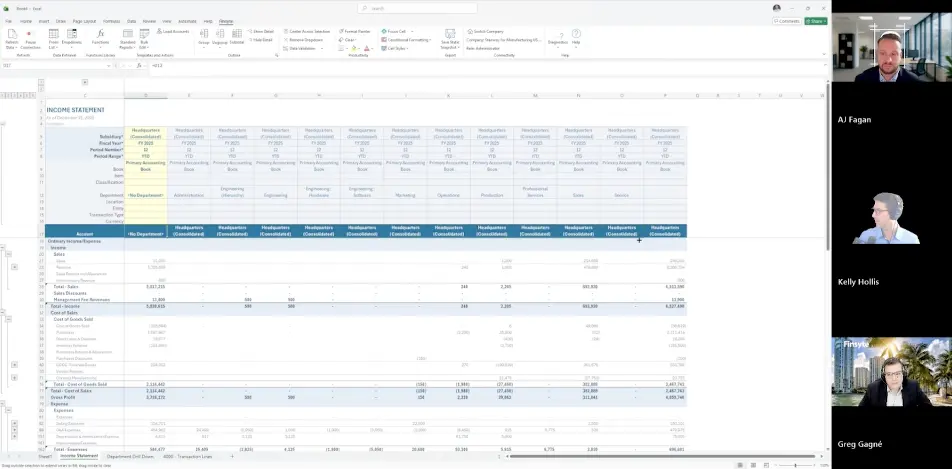
AJ Fagan, our VP of Sales at Salora ERP, says what everyone watching is probably thinking:
“I’ve never seen anything like another tool like that.”
He’s not exaggerating for the camera. And that reaction is as good a starting point as any for understanding what FinSyte actually is, and why it matters.
The Problem Nobody Wanted to Admit
For years, the conventional wisdom in ERP consulting has been some version of “get out of Excel.” The pitch is always the same: your data should live in the system, not scattered across a hundred offline spreadsheets with version names like FinalReport_v3_ACTUAL_final2.xlsx.

The advice isn’t wrong, exactly. But it misses something important.
“From an accountant standpoint,” Greg Gagne, CFO of Reports Now and an early FinSyte user, explains during the conversation, “not everybody knows what we do or what we need to do with Excel. And they’re like, why are you still using that?”
The answer is that some calculations simply require Excel’s flexibility. Scenario modeling, custom formatting, ad hoc pivots, formulas built specifically for one board presentation — these things live naturally in a spreadsheet. They don’t translate cleanly into a NetSuite report editor, no matter how well-configured your instance is.
What FinSyte Actually Does
FinSyte is a native Excel add-in that connects directly to NetSuite via its REST API, pulling live financial data into your spreadsheet without any middleware or third-party connectors required. The workflow it replaces is one every finance professional knows well: export from NetSuite to CSV, wrangle it in Excel, build your presentation workbook, and repeat the whole process next month. Kelly puts it plainly during the demo:
“We eliminate that data dump and make it to where you can build the final report that you want using the FinSyte functions. You build it once, you add parameters, and when you change one value, all of the functions recalculate.”
Pre-built templates for income statements, balance sheets, cash flow, and budget vs. actual get you off the ground fast, each one pre-populated with your own subsidiaries, account groupings, and custom segments
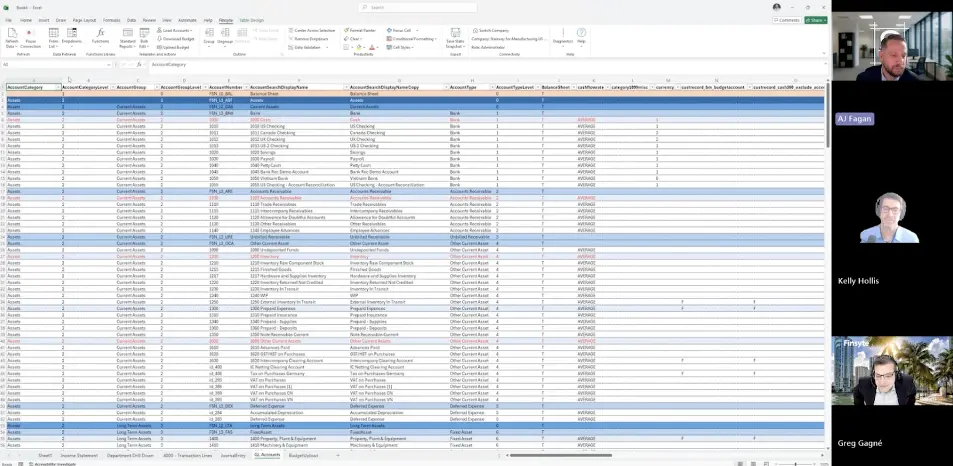
Where FinSyte earns its reputation for speed is in how it handles data retrieval. Kelly describes the core mechanic as a “reverse pivot table”: rather than downloading every underlying transaction and crunching it locally, FinSyte asks NetSuite for the summary value directly. The result is a refresh that takes seconds, not minutes. From any summary figure, you can right-click and drill down by department, class, location, or any custom segment, and keep drilling until you reach individual transaction lines, each one hyperlinked directly back to the originating record in NetSuite. Greg describes watching a customer use exactly this during a board meeting:
“He just sat there drilling down and going back into NetSuite and finding the answers, not going back and forth like he normally would.”
The tool also writes back to NetSuite, not just reads from it. Journal entries can be downloaded, edited in Excel and re-uploaded in a single atomic operation, meaning the whole thing either succeeds or it doesn’t. No partial saves, no lost lines. The budget upload template goes a step further by showing prior-year actuals alongside editable budget cells with rollup totals, addressing what Kelly calls NetSuite’s native budget UI plainly: “It works, but the UI for entering a budget is terrible.” For saved searches, FinSyte pulls any search directly into Excel as a native dynamic array. Greg joins four of them every morning in Power Query to produce a combined report he later pipes into Power BI. “I am not a developer,” he says.
“I was able to build a tremendously powerful report on my own, in one table, one view.”
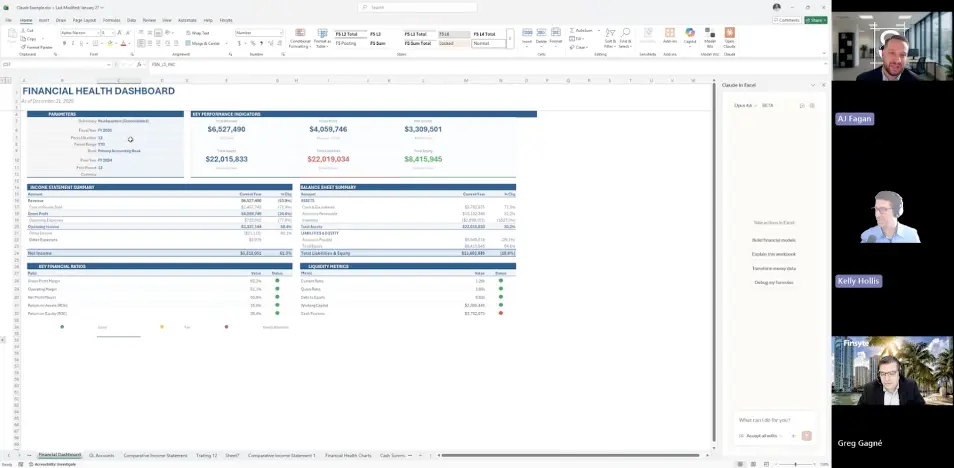
The most forward-looking piece of the demo is the AI integration. Because FinSyte functions are standard Excel functions, tools like Claude in Excel can read the data, reason about it, and write new FinSyte functions on your behalf. Kelly prompts Claude to analyze an income statement and build a board-ready financial dashboard, and what comes back is not a static snapshot but a live, parameterized template: change the reporting period and everything updates. “What it builds for me is really a template,” Kelly explains, “because it’s using my FinSyte function calls. You can continue to iterate on this and get some really powerful workbooks created quickly.”
Built By Someone Who Actually Needed It
What separates FinSyte from a lot of software in this space is the origin story — and the reason it’s worth watching the full conversation to hear it told firsthand.
Greg Gagne is CFO of Reports Now, and he’s also an everyday FinSyte user. When his company moved into NetSuite, he loved the system but found the reporting side genuinely painful. No huge staff, tight timelines, and an ad hoc reporting experience that didn’t match how a CFO actually thinks. So he built a rough prototype of what he actually needed and handed it off to Kelly.
“He took it and ran with it,”
Greg says.
Curious if FinSyte fits your reporting workflow and NetSuite setup? Book a FinSyte demo: through us Email [email protected] or call (+1) 720 254 1320 to get it scheduled.
You can also watch the full conversation and demo here: [VIDEO LINK].

